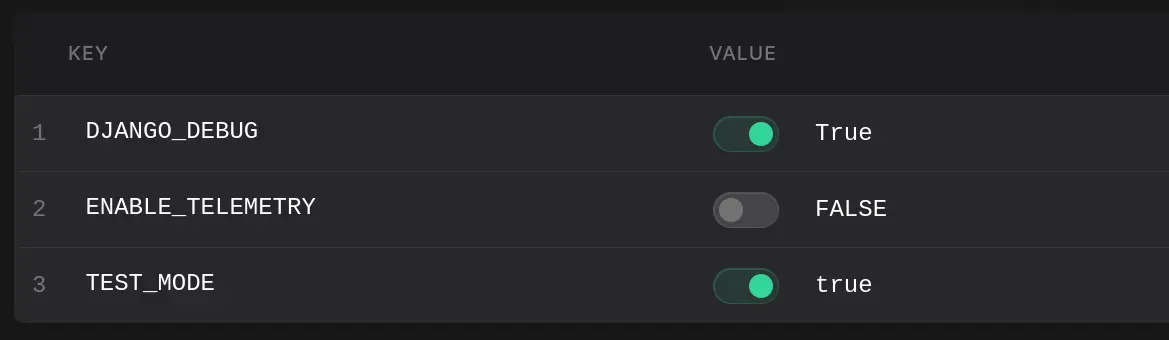
The Console now automatically detects boolean values and adds a toggle switch to easily flip between true and false states.
Making environment variables suck less
We are constantly exploring new ways to improve the developer experience for managing application secrets and configuration.
A common pattern in managing application configuration is using a True or False value to flip a setting on or off.
This setting could be something like a debug mode, test mode, or a CI setting to control how a pipeline is executed.
With the latest release of the Phase Console, you can now flip these values with a single click, instead of having to type them out.
Here it is in action:
How it works
When you create a new Secret in the Phase Console, it automatically detects if the value is a boolean.
Currently we support UPPERCASE, lowercase and Title Case versions of either true or false as a valid boolean, so any of the following values:
- true
- True
- TRUE
- false
- False
- FALSE
If the value of a secret matches any of these, the Console displays a toggle switch next to the input field for easy on-off flipping.
Flipping a value will preserve its case, so an UPPERCASE TRUE will flip to FALSE, lowercase true will flip to false and so on.
The new boolean toggles are live on Phase Cloud and v2.16.0 for self-hosted users.
Reach out on Slack or GitHub for any questions or feedback on this release!